
Comparison
Network Weather vs Cloudflare DEX
Cloudflare DEX counts SSIDs and tracks device metrics through WARP. It does not measure WiFi quality. It does not trace network paths. It does not detect the home router at all. Network Weather provides the actual network diagnostics that Cloudflare DEX was never designed to cover.
The home network blind spot
What Cloudflare DEX cannot see, and what Network Weather fills
No WiFi quality metrics
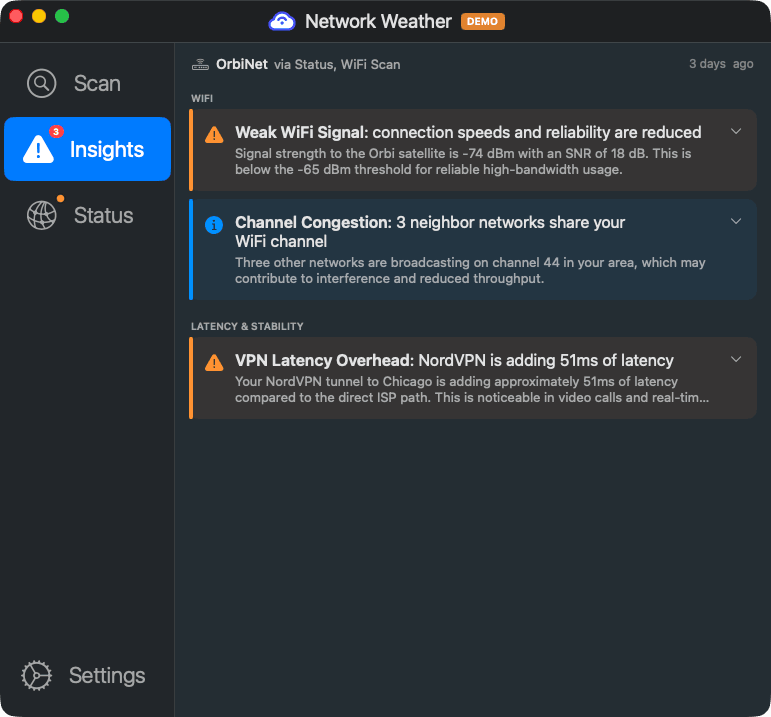
Cloudflare DEX tracks how many SSIDs the device sees and whether it is connected. It does not report signal strength (RSSI), noise floor, channel, bandwidth, or link speed. You know the user is on WiFi, but not whether the WiFi is any good. Network Weather performs full radio environment scanning with 802.11 IE parsing, SNR, and noise floor analysis.
No network path analysis
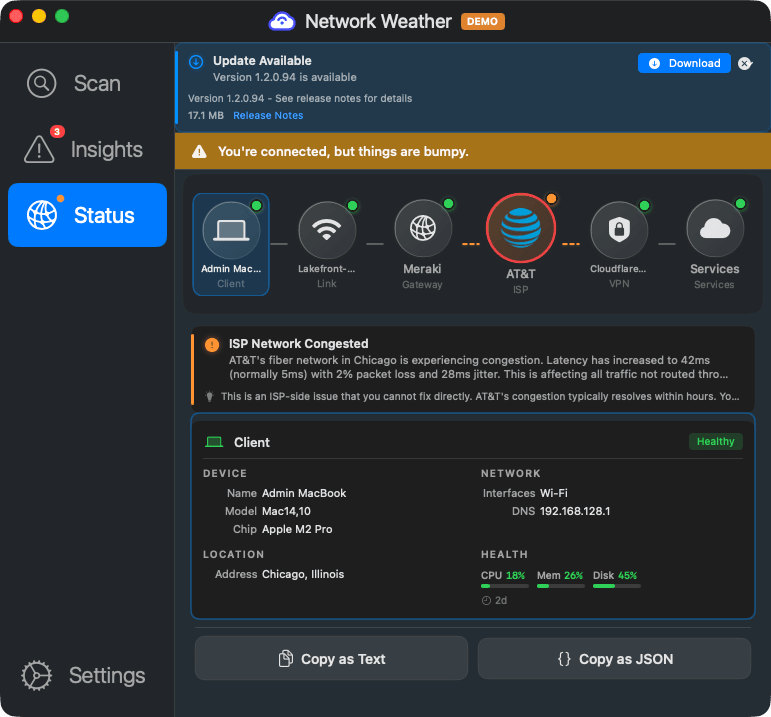
No traceroute, no hop-by-hop latency, no ISP identification. Cloudflare DEX cannot tell you where between the user and the application latency is accumulating. Network Weather traces the full path with ISP identification at each hop.
No gateway detection whatsoever
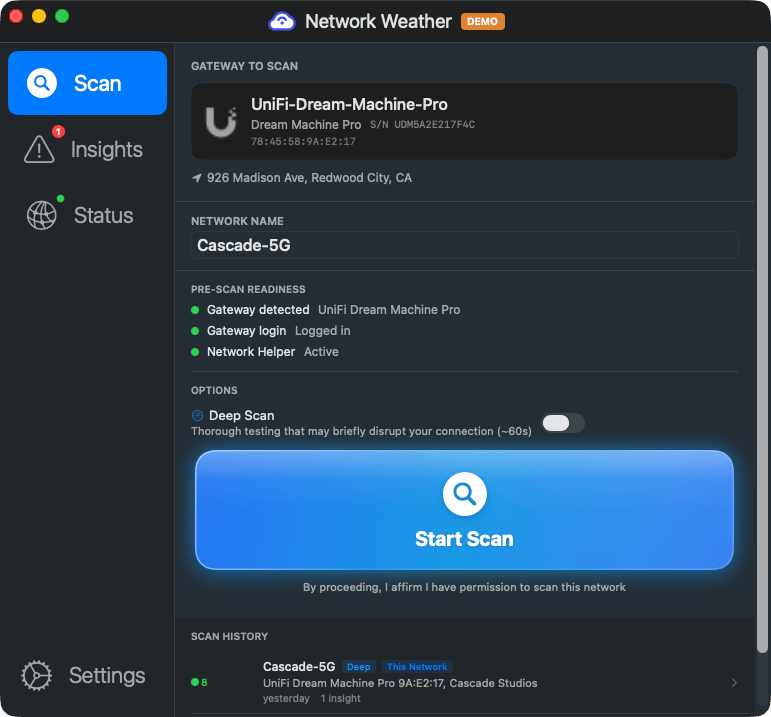
No vendor identification, no model detection, no firmware version, no security scanning. The home router is completely invisible to Cloudflare DEX. Network Weather identifies 11+ router brands automatically via UPnP, mDNS, and HTTP fingerprinting, with deep API integration for UniFi, ASUS, TP-Link, and more.
No security scanning
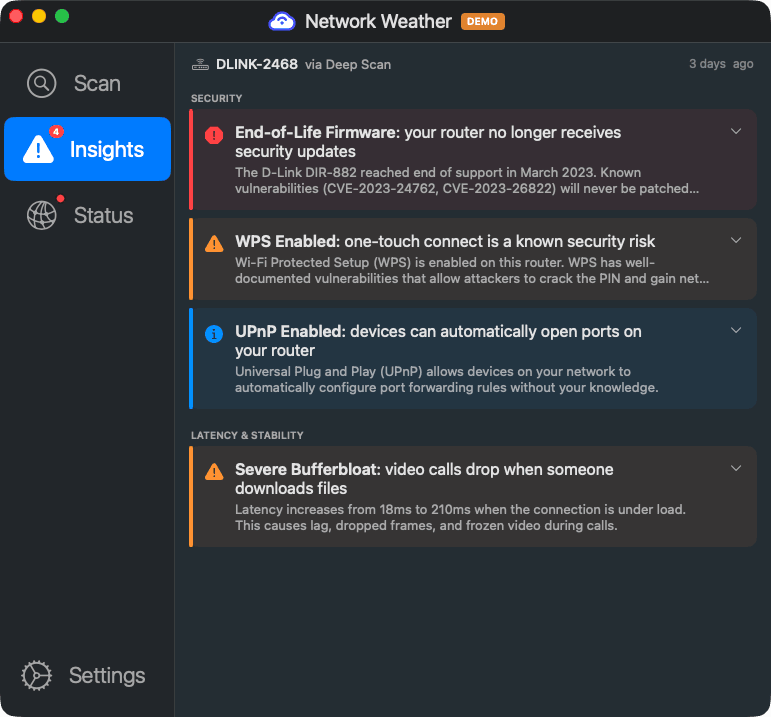
No firmware CVE checks, no end-of-life detection, no UPnP or WPS auditing, no default password detection. Cloudflare DEX is a telemetry pipeline, not a security scanner. Network Weather is.
No end-user self-triage
Cloudflare DEX is purely IT admin telemetry. There is no employee-facing interface, no diagnostic guidance, no self-service remediation. Users still file tickets. Network Weather puts diagnostics and hardware-specific guidance directly in the employee's hands.
No LAN visibility
No ARP scanning, no DHCP enumeration, no device discovery on the local network. Cloudflare DEX sees the endpoint but nothing else on the LAN. Network Weather enumerates devices, detects ISP gateways and cable modems, and maps the local network topology.
What your remote workers actually see
Network Weather gives employees answers, not dashboards
Side-by-side feature comparison
What each tool covers at the home network level
| Capability | Cloudflare DEX | Network Weather |
|---|---|---|
| WiFi connection state | ✓ Connected/disconnected, SSID count | ✓ Plus signal, channel, bandwidth |
| WiFi signal strength (RSSI) | ✗ | ✓ |
| WiFi channel interference scanning | ✗ | ✓ Neighbor AP enumeration, SNR, noise floor |
| Radio environment scanning (802.11 IE parsing) | ✗ | ✓ BSSID resolution, AP vendor detection |
| Network path tracing (traceroute) | ✗ | ✓ With ISP identification |
| Gateway latency measurement | ✗ | ✓ |
| Gateway vendor/model detection | ✗ | ✓ 11+ brands via UPnP, mDNS, HTTP fingerprint |
| Gateway vendor API integration | ✗ | ✓ UniFi, ASUS, TP-Link, Netgear, Eero, and more |
| Firmware version check | ✗ | ✓ With vendor API integration |
| End-of-life / end-of-support detection | ✗ | ✓ Vendor EOL databases |
| CVE lookup for router firmware | ✗ | ✓ |
| UPnP / WPS exposure detection | ✗ | ✓ |
| Default password detection | ✗ | ✓ |
| LAN device enumeration (ARP, DHCP) | ✗ | ✓ |
| ISP gateway / cable modem detection | ✗ | ✓ |
| VPN detection and performance attribution | WARP tunnel metrics only | ✓ Any VPN provider |
| End-user self-triage with fix guidance | ✗ IT admin telemetry only | ✓ Plain-English, hardware-specific |
| Works offline | ✗ | ✓ Guidance available even when connection is down |
| UCaaS quality monitoring | ✗ | Forthcoming Q3 2026 |
| Compliance visibility (router infrastructure) | ✗ | ✓ Vendor, model, firmware, EOL, security posture |
| Device metrics (CPU, memory, disk) | ✓ | Network-focused (not device APM) |
| Logpush / SIEM export | ✓ R2, S3, SIEM | ✓ Splunk, Elastic, webhooks |
| Standalone (no platform prerequisite) | ✗ Requires Cloudflare One / WARP | ✓ |
| Free consumer tier | ✗ | ✓ |
Who should use Cloudflare DEX vs Network Weather
They solve different problems. Sometimes you need both.
Choose Cloudflare DEX when you need
- Device telemetry (CPU, memory, disk) alongside Zero Trust policies
- Connection state tracking for compliance and device posture checks
- Logpush export to your existing SIEM at no extra cost
- A lightweight telemetry add-on to an existing Cloudflare One deployment
- Zero incremental cost (included with Cloudflare Zero Trust)
Choose Network Weather when you need
- Actual WiFi quality data: signal strength, channel, interference, bandwidth
- Verify employees connect from compliant network infrastructure: router vendor, model, firmware currency, EOL status, and security posture for audits and attestations (SOC 2, HIPAA, FedRAMP, CMMC)
- Network path tracing to identify where latency accumulates
- Employee self-triage with specific, hardware-aware fix instructions
- Security scanning of remote worker home networks (CVEs, EOL, UPnP, WPS)
Cloudflare DEX and Network Weather are natural complements. Cloudflare DEX provides device-level telemetry and Zero Trust posture data. Network Weather provides the network-level diagnostics that Cloudflare DEX was never designed to cover. Together, you see both the endpoint and the network it sits on.
Go beyond SSID counts
Give your remote workers real network diagnostics: WiFi quality, gateway health, security scanning, and plain-English guidance. Works alongside Cloudflare One or standalone.